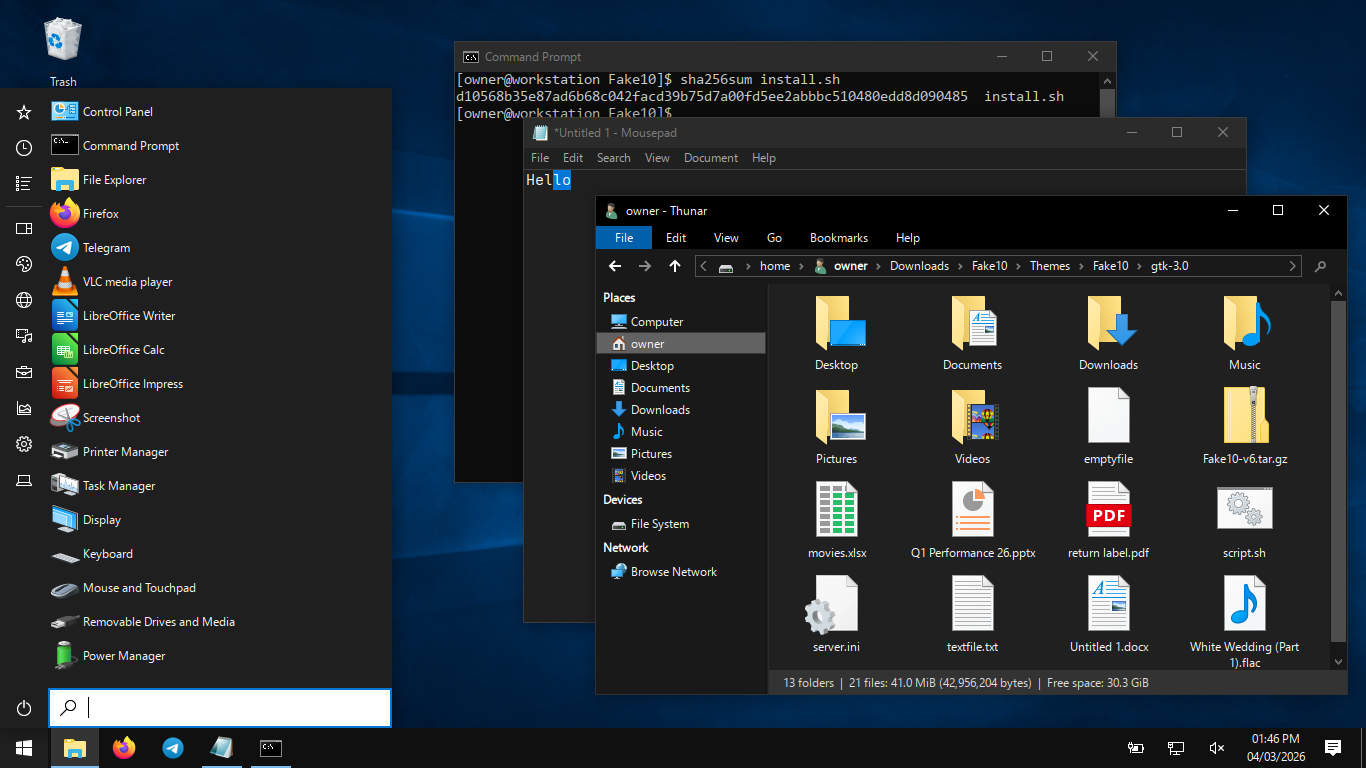
Fake10 for XFCE
"A faithful Windows 10 theme"
What's so different about Fake10 compared to similar themes?:
• Made from scratch (for better & for worse), raw CSS, easily modifiable
• Abides by the Windows 10 art style as much as possible (no Fluent icons, no pre-10 icons*)
• Doesn't show any branding by default (for any Microsoft software)
• Extremely high attention to detail and accuracy
• Extremely simple accent color customization
• Contains auto-installer shell script
• Contains both light and dark modes
• Contains brand new Win10-style icon recreations
• Contains resizable Windows 10 cursors (and an extra inverted cursor theme)
• Contains multiple start button icons to choose from
• Contains multiple Plymouth boot screens with LUKS support
• Supports the XFCE shade and stick buttons
• Supports Qubes OS and Qubes window coloring

*except for notepad

PLEASE NOTE: If you're aiming for an accurate Windows 10-like experience, run the installer or complete the manual installation guide! Installing the theme correctly makes it way more satisfying, as it was designed to complement certain setting changes.

Aside from that, Fake10 is a fantastic choice for minimal XFCE environments- with it being designed specifically for Arch Linux and Qubes OS. Heavier distributions should work fine, but they contain a lot of bundled programs which Fake10 might not support well. Be wary. Otherwise, try it out!


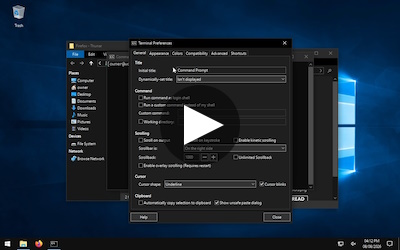
Demo
[0:58]


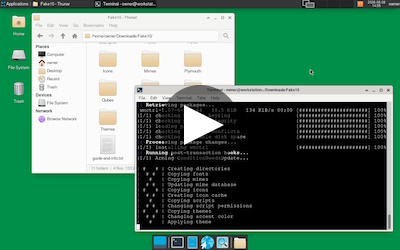
Installer Showcase
[1:08] (theme looks better after reboot)
Releases:


SHA256:
14c3484dce51ce56a9f3419c9c4c5175003002a2bf5b5c0a2ef918dd44e5c3dd

Installer SHA256:
45dad7443e4bcf9b2ef65cf9331bbd0776ede4b4780a068e54af95cc9953ac9b
• New customizable "W10 boot splash"-style Plymouth theme
• New customizable "W10 user login"-style Plymouth theme w/ LUKS support
• New customizable "BitLocker recovery"-style Plymouth theme w/ LUKS support
• Alt+Tab menus are now styled in the GTK themes
• JSON files now use INI file icons instead of batch script icons
• The installer now automatically applies most Firefox settings
• The installer now automatically applies cursor themes for Qubes OS
• The installer now enables window tiling/snapping
• The installer now checks for the XFCE Whisker Menu package
• The installer now checks for the XFCE Generic Monitor package when relevant
• The installer now fixes XFCE 4.18 offsets for distros other than Qubes OS
• The installer now properly applies settings for legacy Whisker Menus
• The installer now properly applies settings for legacy XFCE Terminals
• Created a few missing symlinks (thx rainerhg7)
• Changed the stupid script.desktop file name to prevent conflicts
• Shortened reload-theme.sh delays due to Qubes OS issues on powerful hardware
• Fixed coloring for some LibreOffice elements (thx rafaelramos)
• Fixed file explorer highlighting in Qubes/XFCE 4.18 (thx rafaelramos)
• Fixed desktop icon highlighting in Qubes/XFCE 4.18
• Fixed the clock plugin text alignment in Qubes/XFCE 4.18
• Fixed button highlighting for the toggled Firefox maximize button
• Fixed some "multi-level symlinks" in the original icon theme
• Added thumbnails and example images to the archive
• Remade the colors.png accent color guide
• Revised the manual setup guides
• New Plymouth setup guide

Also thanks to mthsemch for emailing me about taskbar customization. I might get around to adding more options in version 8.
Published July 8, 2026~150 downloads before getting delisted July 10th
Download unavailable

SHA256:
06b28b972072e0ab21f968c5e5b84c9c6aba1ee847d2ec604004e3e2386c437f

Installer SHA256:
d10568b35e87ad6b68c042facd39b75d7a00fd5ee2abbbc510480edd8d090485
Happy Easter!

• New slim "Show Desktop" taskbar button (thx SebaRana678)
• New Qubes OS constantly-tinted XFWM4 border
• New Firefox CSS to make the interface more accurate
• Now handling every possible terminal text color
• Updated the GTK theme to support xfce4-docklike-plugin (thx moon65, version 0.5.1-1 and above only)
• Various configuration files now use INI file icons
• Fixed the mouse cursors when dragging desktop and Start menu items
• Fixed the highlighted close button internal titlebar icon in the light theme
• Fixed category vector icon coloring in the Start menu for the light theme (thx moon65)
• Fixed hard-to-read Settings Manager icon labels for the light theme
• Fixed hard-to-read line numbers in Mousepad for the dark theme
• Fixed some tooltips from having transparent backgrounds in Firefox
• Fixed Qubes OS virtual machine tooltip backgrounds
• Revised the setup guide and installer
• Revised and moved the reload theme script
Published April 5, 2026~3,500 downloads
Download unavailable

SHA256:
16e252d168aead8f238e06930693cdca6576a17402f534aef20b3356f32a96e8

Installer SHA256:
7cacc786d9e0d06a832dd64da6ea4b15cecebf0414af62d3b99802889d3f6ef4
• New light theme icons, cursors, GTK CSS, and XFWM4 borders
• Five new Qubes OS light theme XFWM4 borders
• New symlinks to hide Network Manager animations and VPN overlays
• New miscellaneous symbolic icons
• New icons for Redshift
• Reworked spreadsheet and slideshow filetype icons
• Python scripts now use batch script icons instead of text file icons
• Reverted the XDG User Dirs Public folder icon to a standard folder
• Updated the GTK theme to improve popover menus
• Updated the GTK theme to improve internal titlebars
• Updated the GTK theme to fix various small issues
• Updated the guide and installer to let users apply the light theme
• Updated the guide and installer to set more font and panel settings
• Updated the installer to no longer place wallpapers in root directories
• Updated the Qubes guide and Qubes directory structure
• Deleted some unused assets
Published February 28, 2026~1,000 downloads
Download unavailable

SHA256:
96757042533dd0e43871d998cd0767ecce6fd10902a834a79f3440d89de985af

Installer SHA256:
e82471eda0351d96f4825d0ee59500229d17f77c2bf92da1304932386fcf31d3
• New auto-installer shell script with support for Qubes and Qubes VMs
• New XFWM4 "Accent Color" border
• Two new Qubes XFWM4 borders which tint the entire title bar
• Improved anti-aliasing appearance on smaller task manager icons
• New icons for arch-update and alarm-clock-applet AUR packages
• New icons to properly handle PDF filetypes
• New symlinks to fix some filetype icons
• New symlinks to fix some play button icons
• Now handling treeview checkboxes in the GTK theme
• Fixed inconsistent Start menu category button alignment
• Fixed Start menu background color (Was off by a single value; #202020 instead of #1F1F1F)
• Fixed the inactive window title text color (Was using W10 File Explorer as a reference, where it's slightly brighter than normal apps)
• Fixed deprecated CSS line causing warnings
• Revised the setup guides and added more optional customization steps
• Replaced Windows accent color codes section with an image guide
Published February 11, 2026471 downloads
Download unavailable

SHA256:
e991938b1a5c3795eac35694a2e1df73c2041c6713a7d34bbbfe7264fff8b0a3
• Brightened window borders to be more accurate to real world usage (borders in W10 are semi-transparent)
• New icons to support Telegram notifications, the Wi-Fi password entry window, and Whonix's tray icon in Qubes
• Updated the shell script to ensure the GTK theme is applied to the show desktop button
• Revised the setup guides and added more optional customization steps
• New start menu icon for Debian
Published January 7, 20261,083 downloads
Download unavailable

SHA256:
23c3eeb216d5f82bd4e3c50861e87e6852b8173bc60ddcd6ab2d8983a120ba6b
• Three new XFWM4 Qubes-compatible window borders to choose from
• Dedicated Qubes symbolic icons
• New Qubes section in the setup guide
Published December 8, 2025833 downloads
Download unavailable

Hotfix SHA256:
0fd0d5bf68e0b77f3a92c2079c4ba84602396f0138dae4285fc4f787874614e3

SHA256:
e5db3ce489a53b476e9d3aac6ec5051c383e9bbb7aab8694365693d5154621f6

(There were never any changelogs made for this version, but the hotfix added the "eject" symbolic icon. I noticed the issue in Thunar when installing Fake10 on real hardware.)
Published December 6, 2025151 downloads
Download counts are sourced from OpenDesktop, where Fake10 was previously hosted. Fake10 reached #1 most popular XFWM4/XFCE theme on February 20, 2026, and remained there until being silently delisted for licensing reasons. archive.org snapshot ~a month from deletion

Fake10 by Honu

Star on GitHub

Support the file host

Qubes OS forum page

My email is in "guide-and-info.txt"